
If you are receiving a "Data Element #" message when completing a NIBRS review this indicates a required field has been left blank. To resolve this behavior, go to the field left blank and fill in the correct information. In this example, there is missing Victim related data.

or
or

Go to the Victim tab within the NIBRS review.
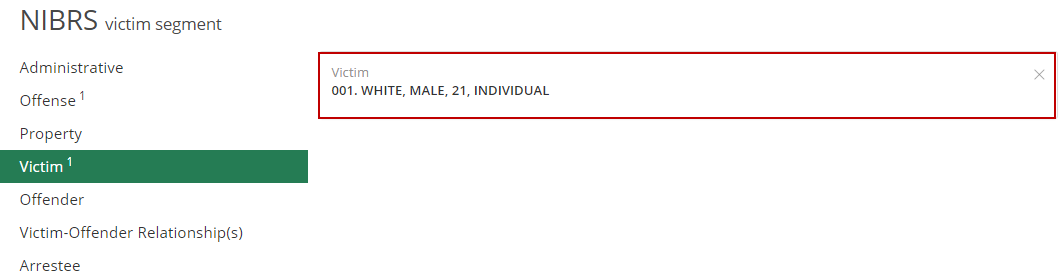
In the Victim segment you are able to view and edit the fields within the segment by clicking on the Victim box. In this segment you will see all of the details associated to this victim.

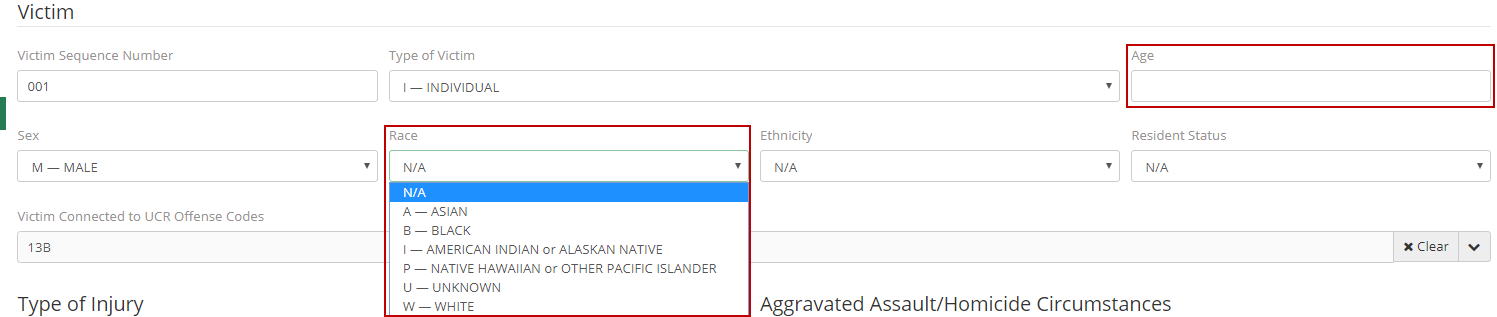
Based on the error message the user will need to click on each of the drop-down boxes to display a 'Sex', 'Race', and 'Age' for the Victim. After these details are keyed in the user will be able to save and check for any further errors in this segment.
If the error messages still persist, contact an ARMS support agent.