
Whenever a Call Sign for an Officer needs to be changed, there are two places in ARMS where the ARMS Administrator should apply the change:
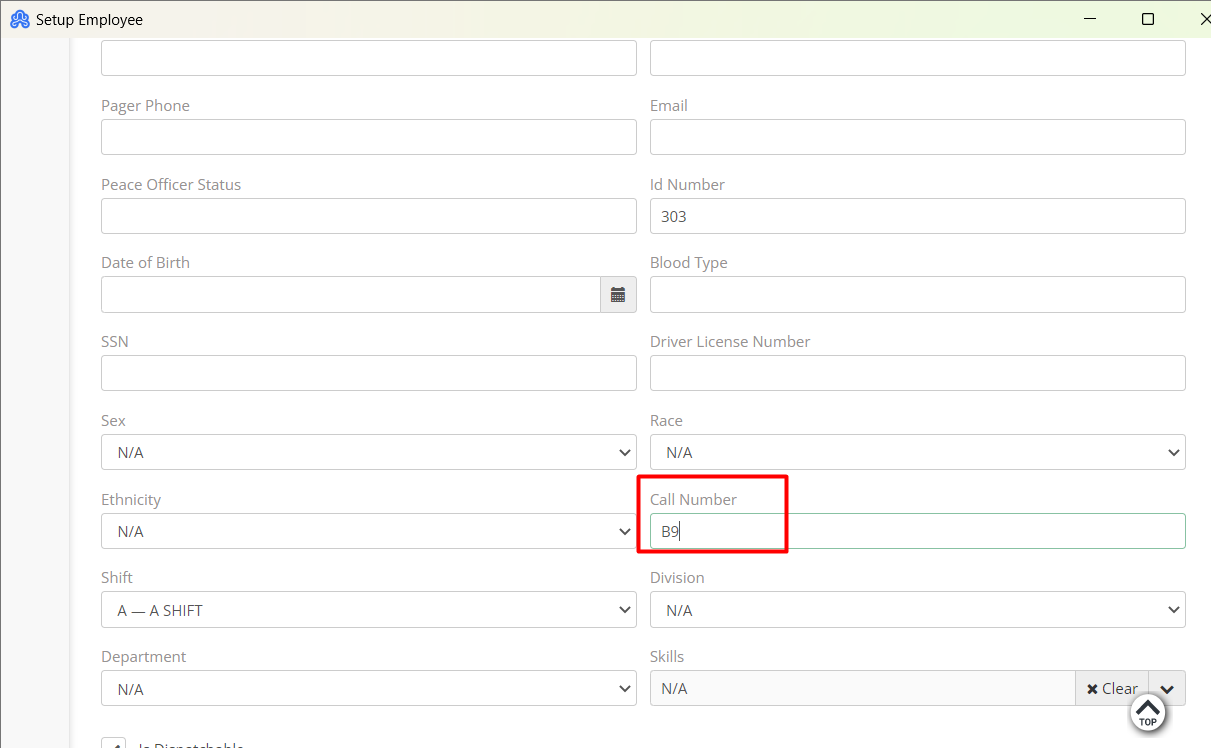
1) Setup menu >> Employee File >> Call Number field
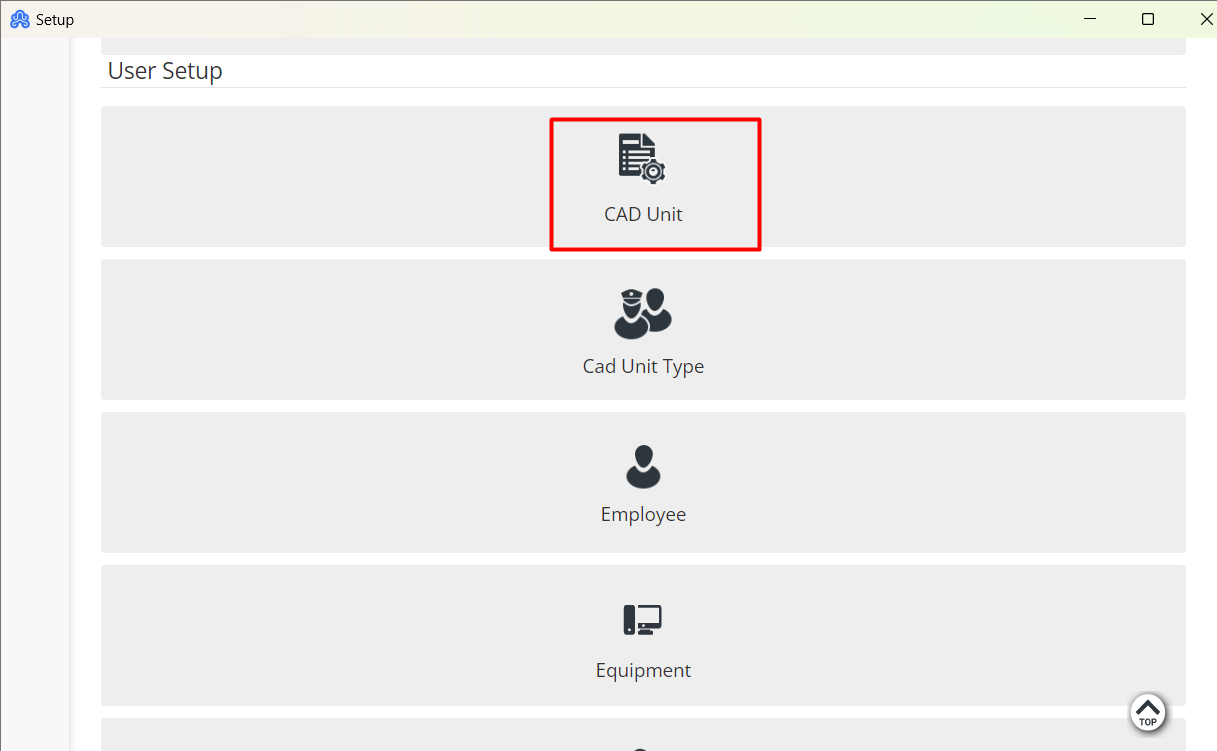
2) Setup menu >> CAD Unit >> Code field (for agencies whose CAD Unit mimics Employee names)
Example:
Officer James Smith is currently known as Call Sign (Call Number) "A10" over the radio. However, now the agency needs to change him from "A10" to "B9". To apply this change, the ARMS Admin will perform the following steps:
The first way is to go to Employee File and change the Call Number from "A10" to "B9" and click Save.
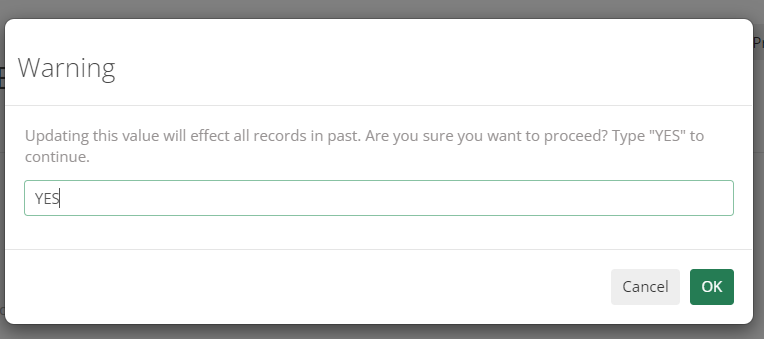
It will show a warning message, to notify the user that the changes will affect past records. Type YES to continue.
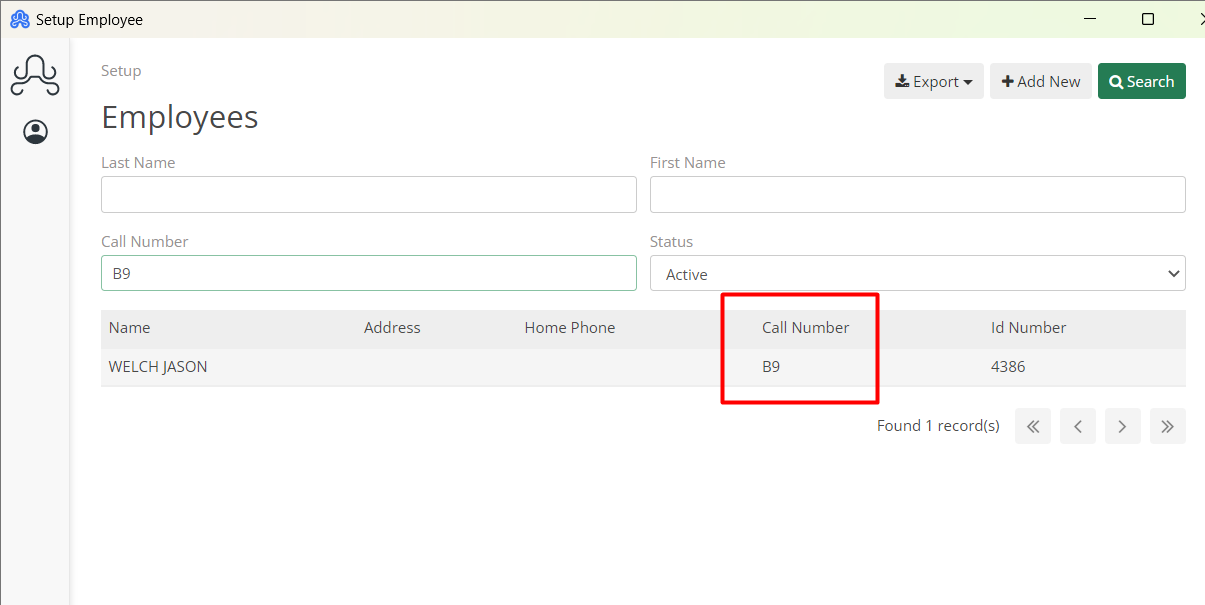
The second place to change is CAD Unit. Go to CAD Unit and change the Code from "A10" to "B9" and click Save.
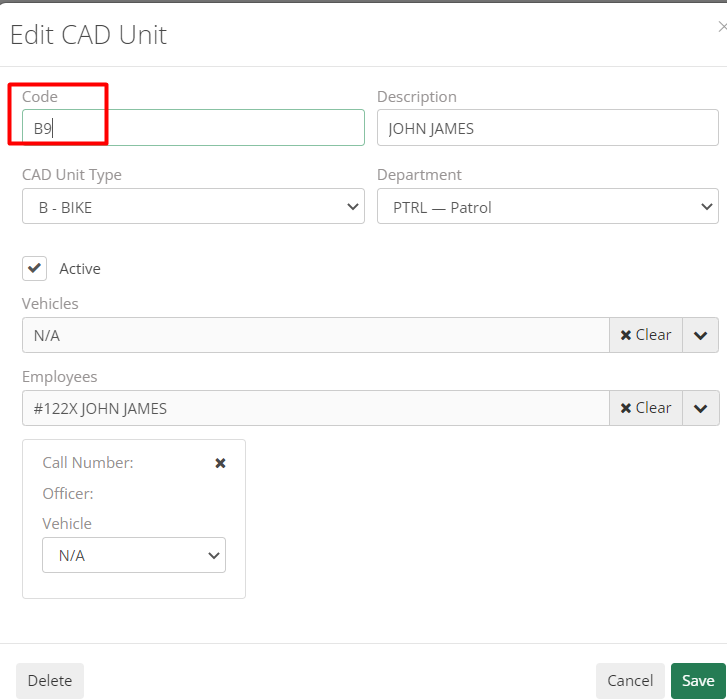
Now, close/reopen ARMS or refresh ARMS lists, and the change will be visible.