
It is common that when users go from the old Classic version of ARMS to the higher version, they will have a lot of “trash” data.
The Classic system allowed its users to enter just about anything they wanted into the database. The higher versions of ARMS will not allow that, but what’s worse is that higher versions will show users how trashy their old Classic database really was by displaying all those old list values their department used every time they access it.
For example, the values for State (i.e., having 4 different values for Mississippi, MS, ms, MIS, etc).
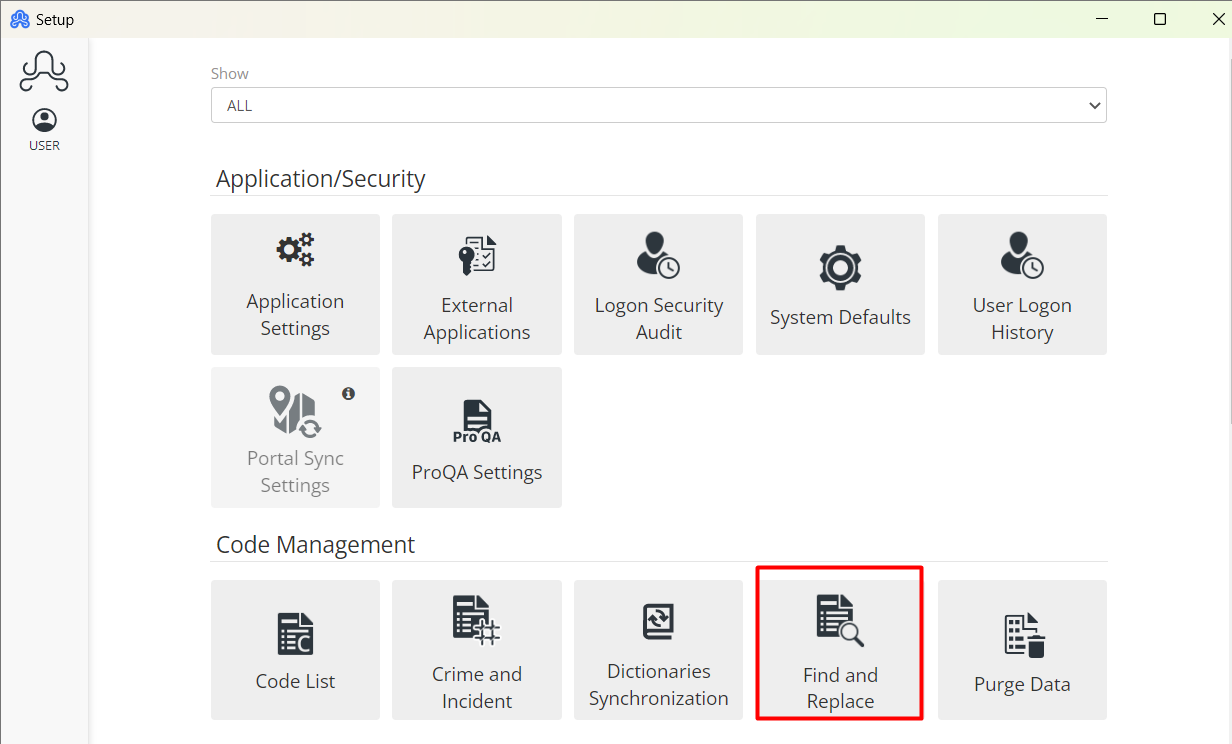
The best way to deal with this situation is to take the time to Find and Replace the bad list values with the good ones. To do so, Go to Setup>>Find and Replace
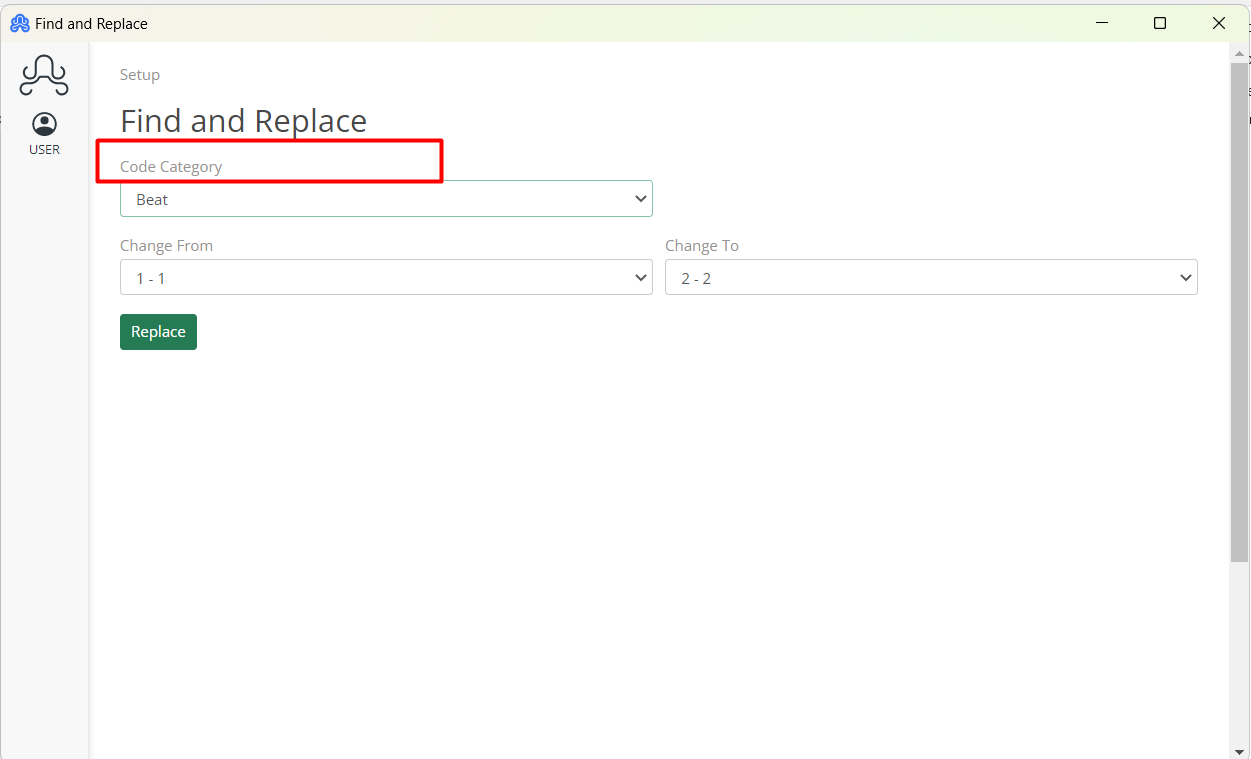
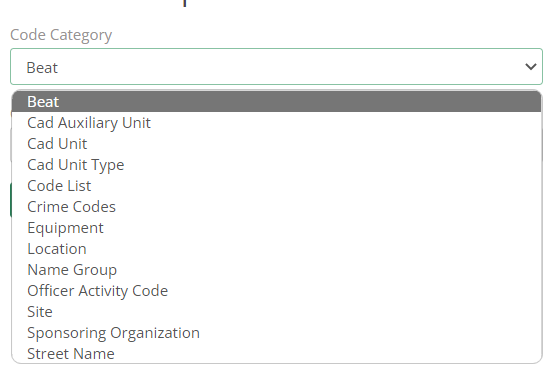
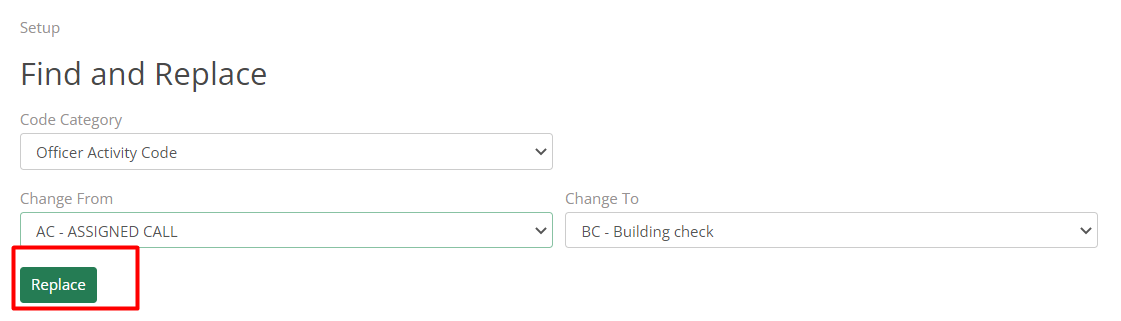
The first step is to select the Code Category that they wish to change from the drop-down list.
Once the Code Category is selected, the “Change from” and “Change To” drop-down lists will be populated with all the list values associated with that category. The list values for Officer Activity Code include things such as VEHST, EOW, OI, etc.
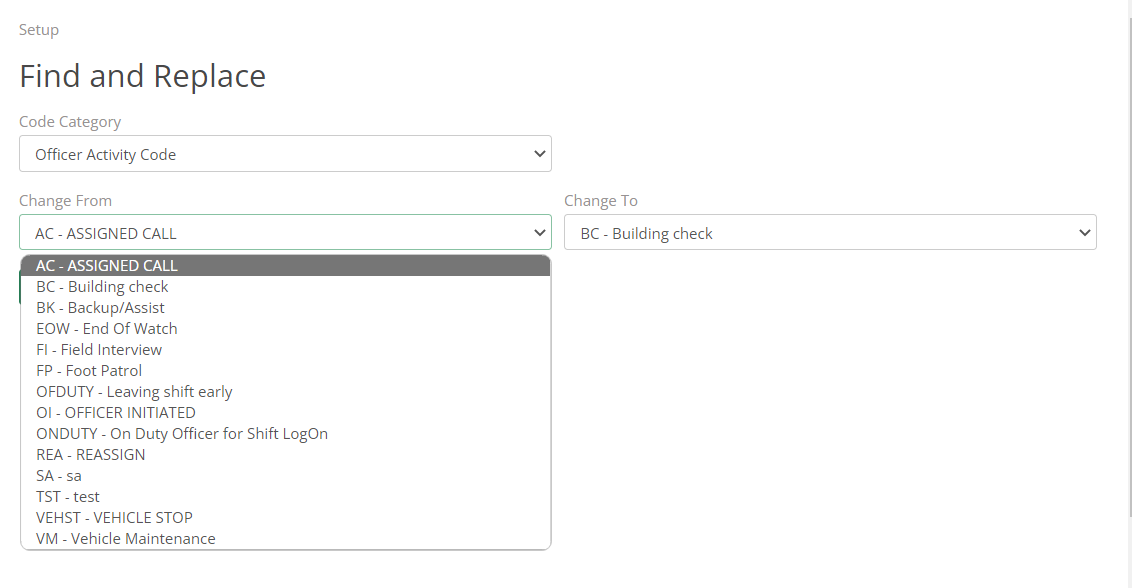
To change an old list value and replace it with a new one, the user will select the undesired list value in the “Change From” drop-down, and then select the list value that the user wants to replace it with from the “Change To” drop-down. Once the user has the list values chosen, press the Replace button, and the changes will take place.
Of course, this means that if the desired list values/ Code List isn’t present for a specific Category, the user will first have to go and add that list value in the respective code list (in the case above I would have to go to Set up>>Officer Activity and add a new list value). Once the user has replaced the old values with the new ones, they can then go into the respective code list set up (Set up>>Officer Activity Codes in this case) and delete the old list value.