

When a case report is marked confidential, only users that have access to confidential records will be able to view and interact with those reports.
For users without access to confidential records, the record will not be shown to them. It will skip the report when scrolling or if they try to find the report by using the “Find” function and enter the report, it will be as if it doesn’t exist.
This same functionality applies to Juvenile Records, Sex Offense Records, and Sealed Records.
Access rights to Confidential, Sex Offense, Sealed and Juvenile Records can be given/removed in the User Access portion of the setup menu.
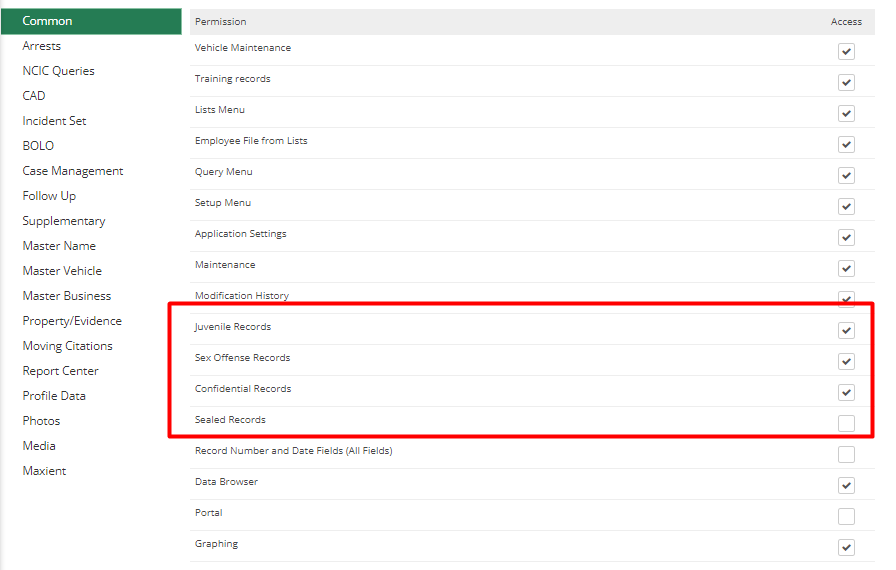
In the User Access window, the user can be given or denied rights to these types of reports. If the user should have access rights the Administrator would modify the user rights and check each box where access is to be given.