
This behavior occurs when officers do not have enough permissions within their User Access.
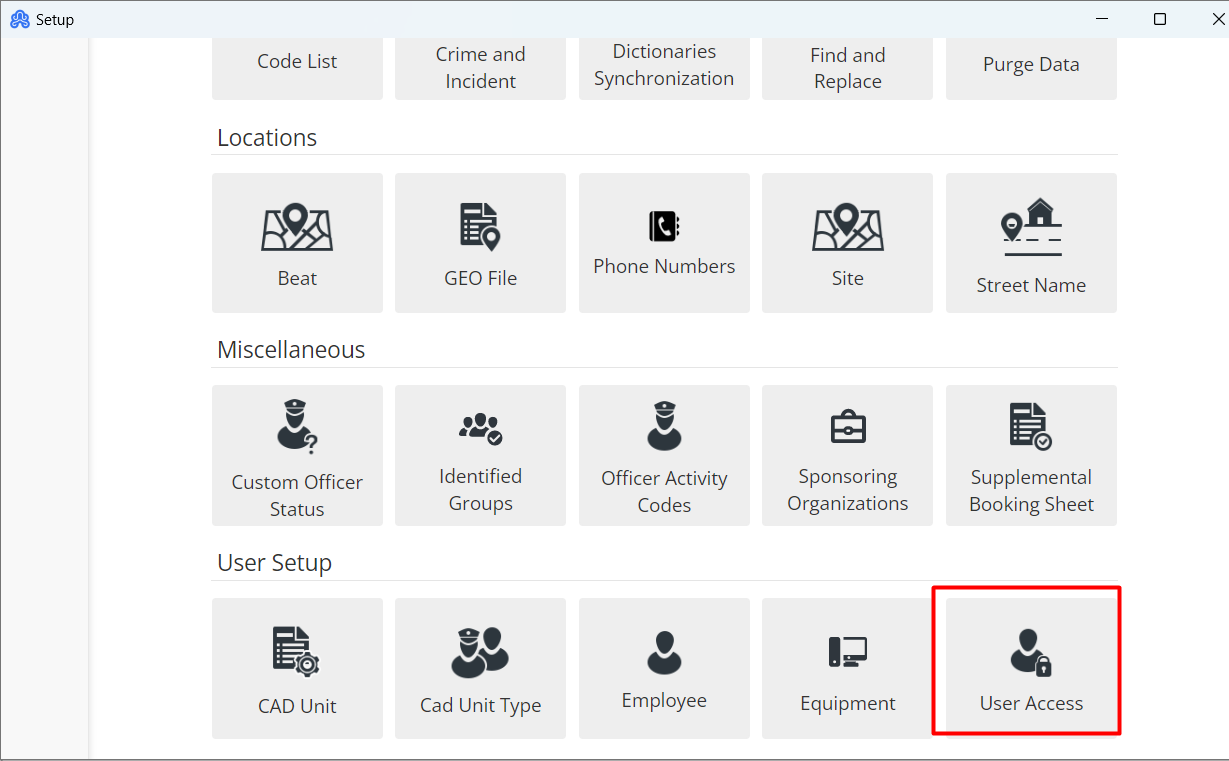
To add these permissions, go to File-> Set-Up-> User Access
Find the Employee in which you need to edit the permissions, then scroll down to change the permissions given to the Employee. Navigate down the page till you see “Case Management” and click it.
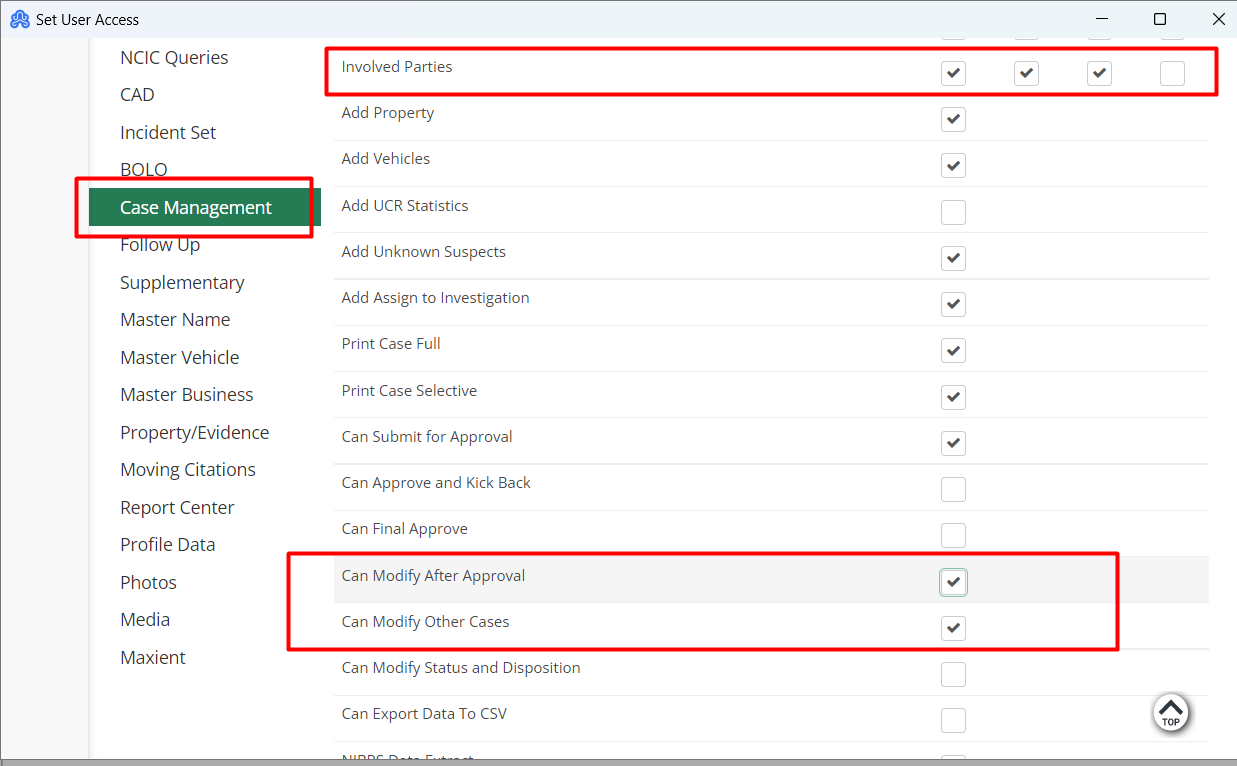
Make sure that the boxes labeled next to “Involved Parties” and “Can Modify Other Cases” are checked.
Then you will need to click the “Save" button.