There are four different ways to enter Profile Data information. In this document, we will cover the process for entering this information into a Moving Violation, and we will also cover how to add Profile Data to a Field Interview, CAD Event, and Case.
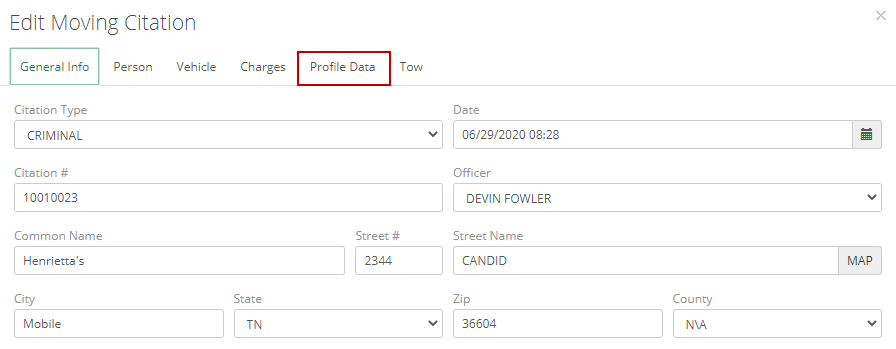
To add Profile Data to a Moving Citation, you’ll need to add a Moving Citation to a person either through the Names module, a Case Report, a CAD Event, or through the Moving Citation module. When adding a Moving Citation, you’ll see a tab at the top labeled “Profile Data”.
Stop Information
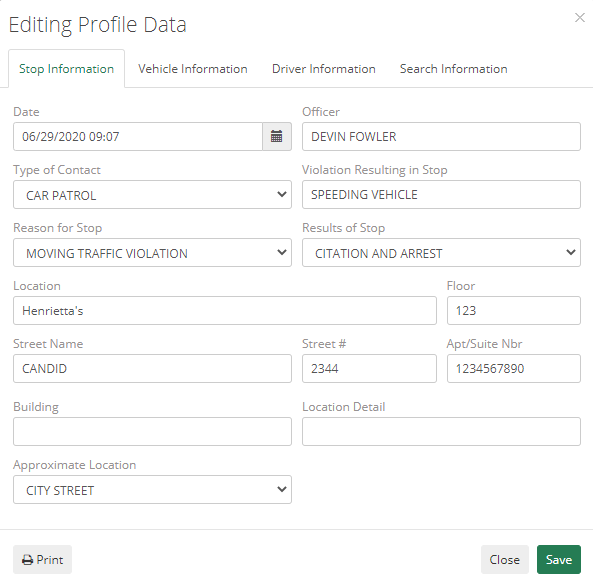
When adding Profile Data, the first section of information you’ll need to fill out is the Stop Information. This is the information regarding the Date, Officer, Type of Contact, Violation Resulting in Stop, and the Reason for Stop, Location Address, and Approximate Location.
Afterward, the next tab is adding the Vehicle Information for the vehicle involved. There are not Profile Data specific fields for that section.
Driver Information
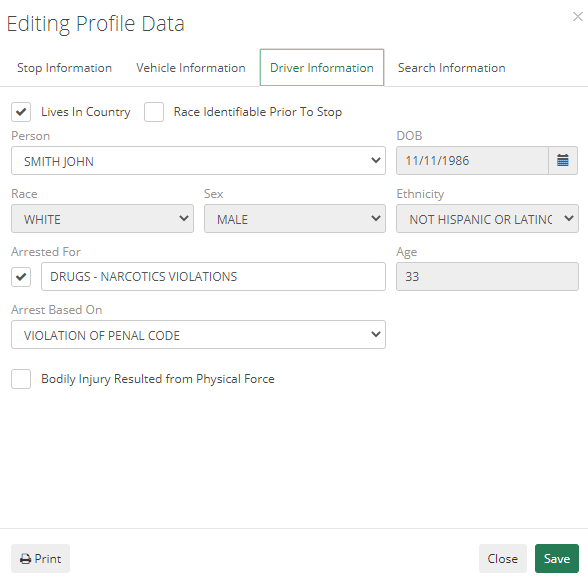
The third section of information you’ll need to fill out is the Driver Information. This is the information regarding whether the person lives in this country if the officer was able to identify the person’s race before stopping them, the name information, age, sex, race, and ethnicity. Also, if the person was arrested, check the box and list what they were arrested for, what the arrest was based on, and check the box if any bodily injuries resulting from any physical force during the stop.
Search Information
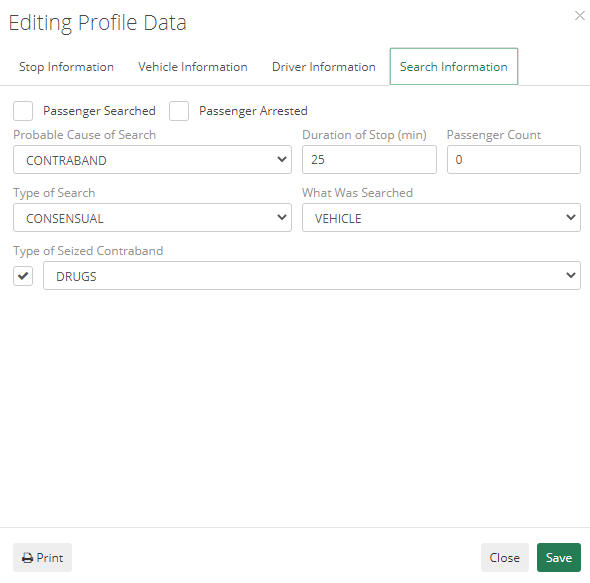
If a search was conducted during this stop, you’ll need to enter if there were any passengers and if they were searched and/or arrested. Then list the probable cause of the search, duration of the stop in minutes, the type of search conducted, what was searched (person/vehicle), and if any contraband was seized, and what type.