Chain of Custody
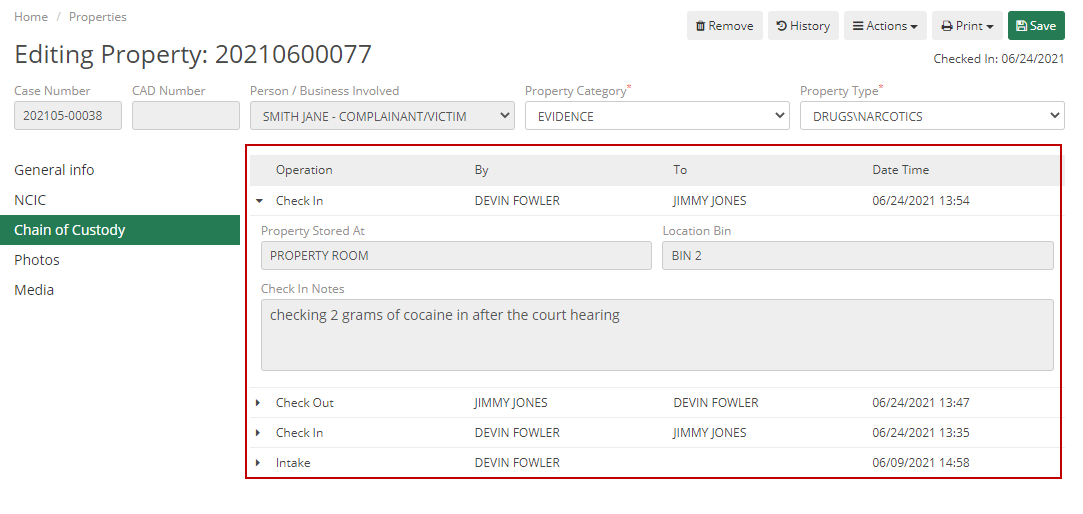
The Chain of Custody tab, for the piece of property, will show all of the Actions that have occurred to it. This will allow you to see when and any notes regarding an Intake, Check-In, Check-Out, Relocation, Release, or if the property was Destroyed.
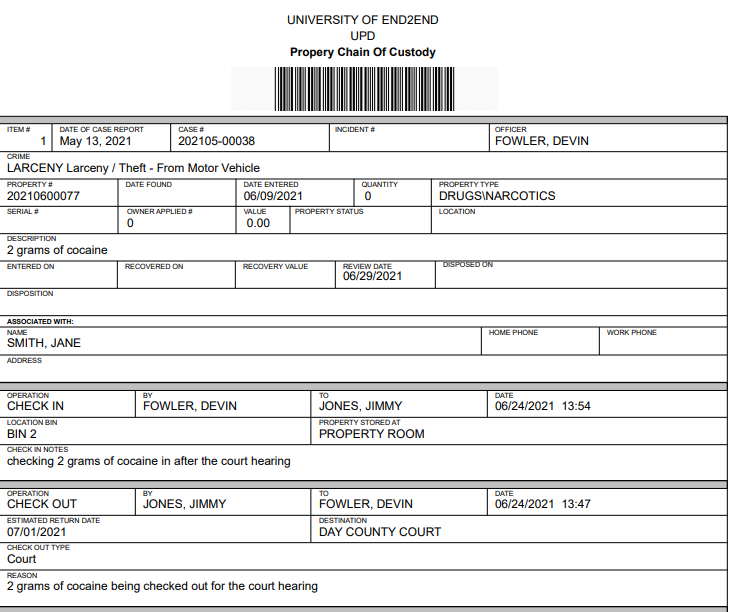
You can also print this out by clicking the Print button and choosing Print Chain of Custody.
Data
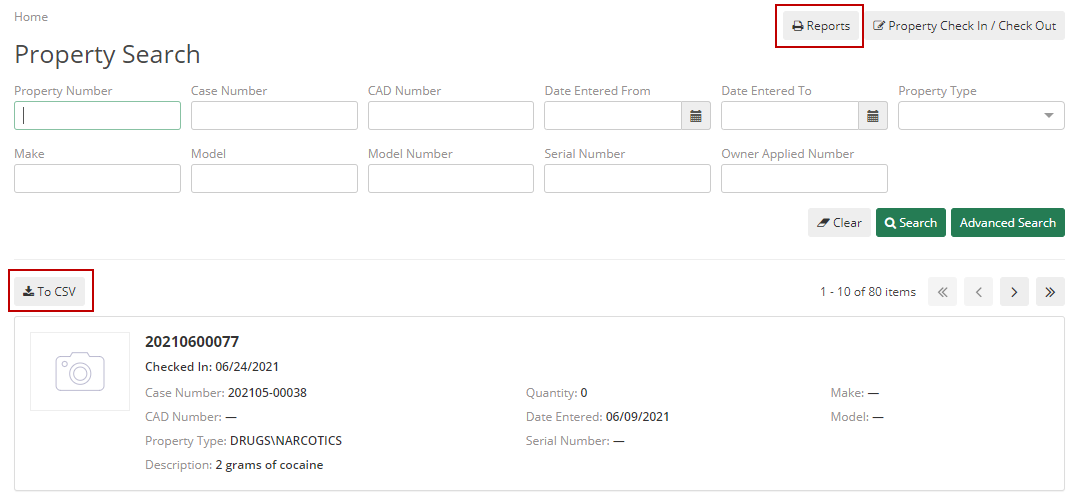
You have a few options for pulling the data on property, including CSV export, Property Reports, and Report Center.
- CSV export – this allows you to view and edit the data in a Microsoft excel document.
- Property Reports – This will give you a few options of property-specific reports to help you pull the data you are looking for using certain parameters.
- Report Center – This will allow you to use the Canned Reports and Custom Reports to pull the data you are looking for.