
The ARMS.Remoting.Server is the name of the service that runs the ARMS Service.
This service is responsible for ensuring the system runs properly and is available for use. The ARMS V3 service is responsible for ensuring CAD is available for use. They can be found on the server under the Control Panel>Administrative Tools>Services.
For Windows 10 or above, Go to Control Panel> System and Security > Windows Tools
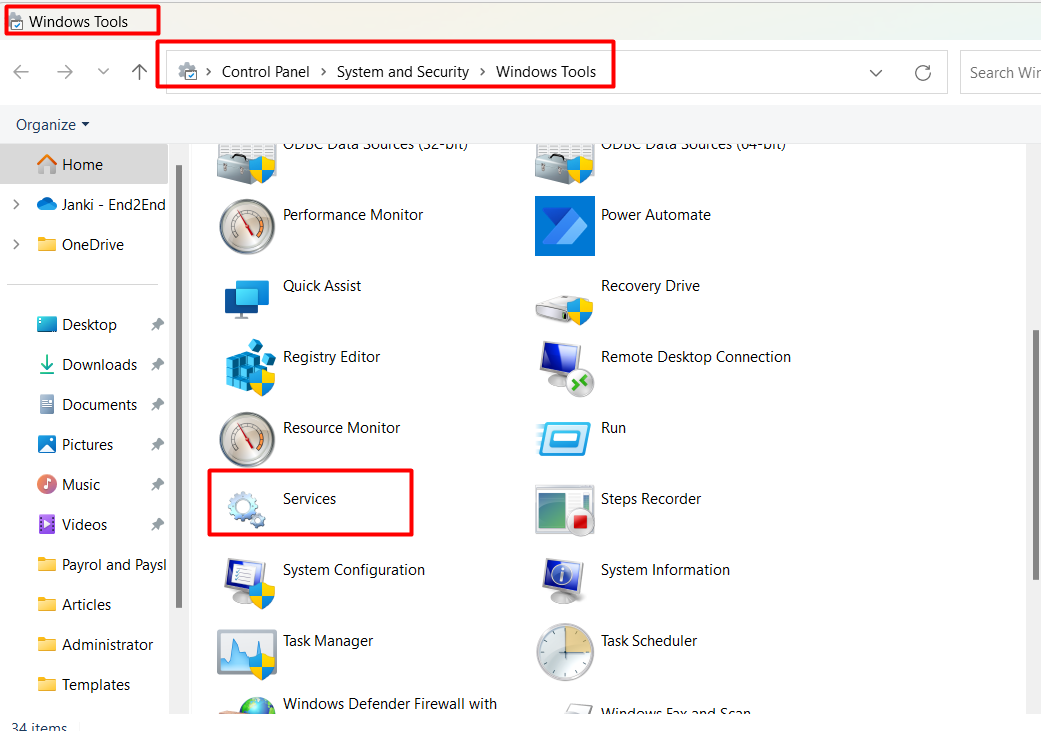
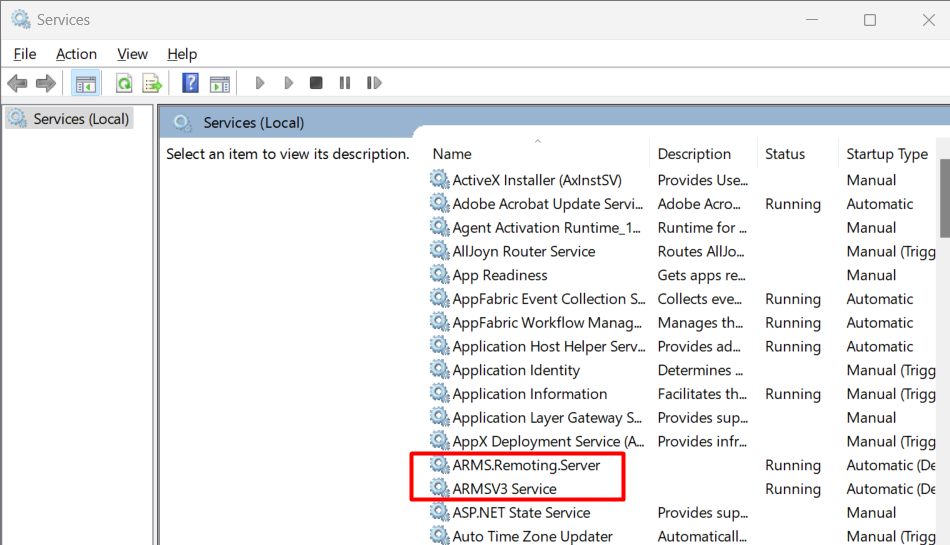
To do everything that it needs to, it must be given appropriate user permissions. This is accomplished through what is called the Service Account.
The Service Account is set up during the installation of ARMS and can be any account on the server or domain which has the following:
- Administrative privileges on the server.
- database owner writes on this SQL server.
- read/write access to the media folder.
This account is password protected, and as such, it stores the password set at its creation to verify its permissions every time it starts up. What this means is that if the password for this account changes. and if that change isn’t shared with the service account, ARMS will cease to function.
Because of this, we suggest that whatever account is used for the service account should be configured in such a way that its password never expires.
In lieu of that, it is important to remember to change the password in the service settings whenever such a change occurs, followed by restarting the service itself.