
If a user receives a 2.7.5 error message in the Offense segment of the NIBRS Review then please make the following changes.

In the Offense Segment, the UCR Offense Code box will be utilizing one of the listed codes in the error message above. These codes mean that the offense was completed, and needs to be marked as completed. The error message usually occurs if the offense was marked as "Attempted" or "Not Selected". To make this change select "Completed" as shown below.
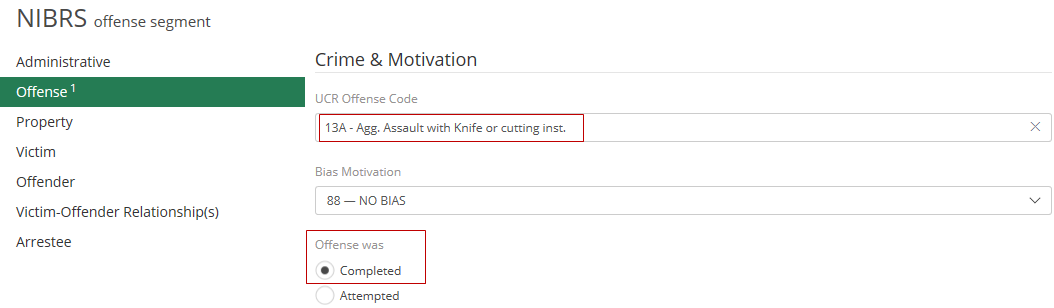
The user can then click save in the top right of ARMS Mobile and the error will be corrected.

Proceed with finishing the NIBRS Review.