
Appeal List

Figure 128 Side Menu >> Appeal List
This section displays all appeals made for citations. The Admin can view, search, and filter the appeals, as well as edit, delete, or export them. New appeals can also be added here.

Figure 129 Appeal List
Add Appeal
Clicking the New Button allows the Admin to add an appeal to a citation. Once clicked, a list of citations will be displayed, with each having the option to Add Appeal. Clicking this button will begin the process of adding the appeal to the selected citation.
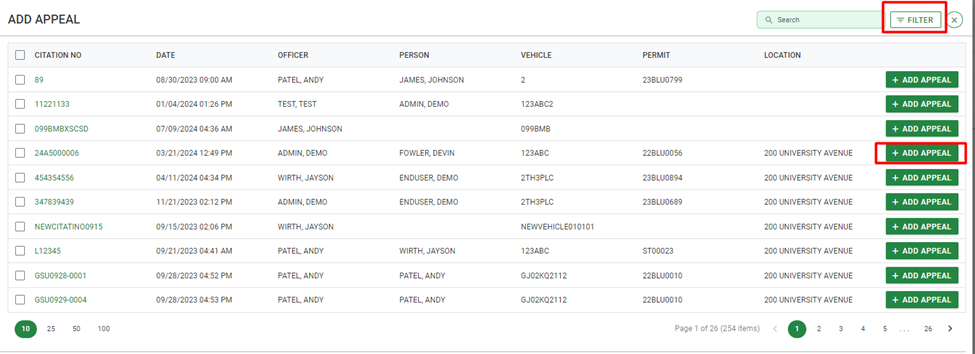
Figure 130 Dialog >> Add Appeal
After selecting Add Appeal on a citation, the admin will enter the Appeal Detail(s) and verify the Citation Detail(s).
Appeal Detail
This section allows the admin to enter all needed details for the appeal like Appeal Number, Date Appealed, Student Narrative, et cetera.
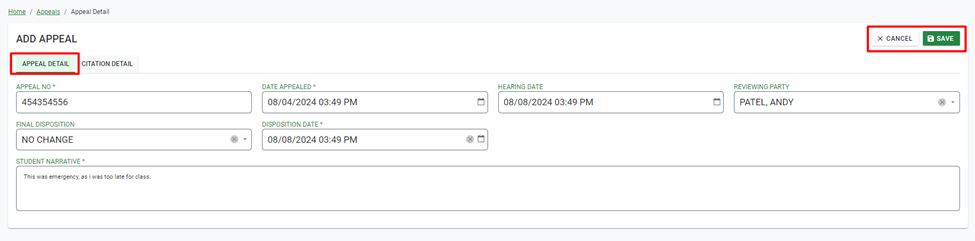
Figure 131 Appeal Detail Tab
Appeal No – Automatically generated number for the specific appeal.
Date Appealed – Add Date of Appeal.
Hearing Date – Add Date of Hearing.
Reviewing Party – Select the name of the Reviewing Party from the dropdown menu. New options can be added in the Code List.
Final Disposition – Select Final Disposition from the dropdown menu.
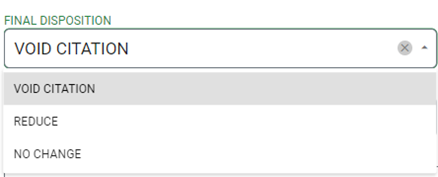
Figure 132 Final Disposition Drop Down List
Disposition Date – Add Disposition Date.
Reduce Citation Date – Add Reduce Citation Date. (This option will only display if the final disposition is reduced)
Amount Discounted – Add discounted amount if final disposition is Reduced. (This option will only be enabled if the final disposition is reduced)
Reduce Citation Entered By – Select officer who has reduced Citation. (This option will only display if the final disposition is reduced)
Student Narrative – Enter the student narrative information that the appeal was judged on.
Citation Detail
This tab displays the details of the citation the appeal pertains to.
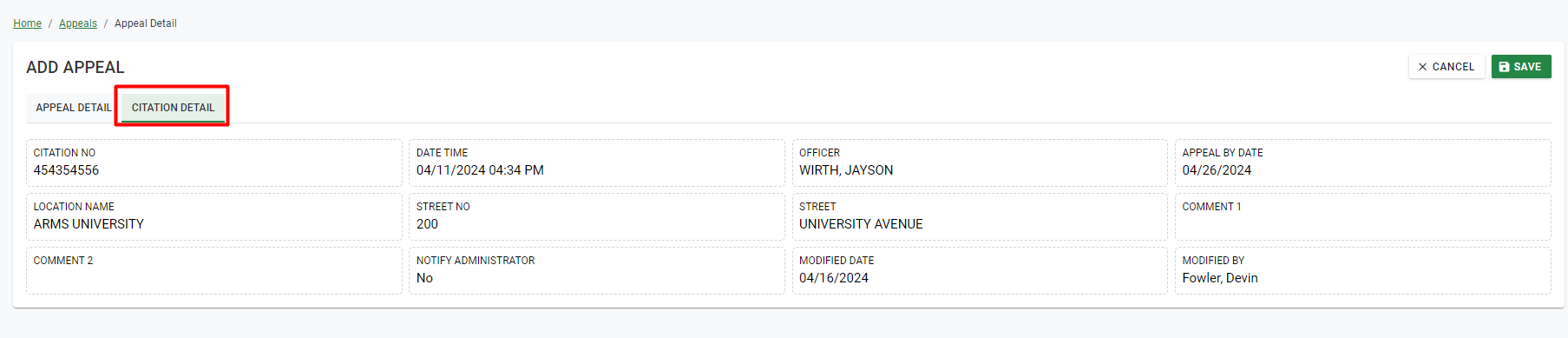
Figure 133 Citation Detail Tab